
General
LS-OPT provides a user-defined interface to extract history and response results, respectively.
Any user-defined program, e.g. C, Fortran or Perl programs, or any post-processors, e.g. LS-PrePost may be used to extract results. The program is called from the run directories. This has to be considered if relative paths are used.
User-defined Histories
The user-defined program is used to produce a file named LsoptHistory containing xy data in a 2-column format. LS-OPT uses the file LsoptHistory only as a temporary file and stores the values in the LS-OPT database directly after the extraction. Hence defining multiple user-defined histories is not a problem, in the end, the LsoptHistory will contain the values of the last defined history.
Example:
In this example, the post-processor
LS-PrePost is used to extract a history result.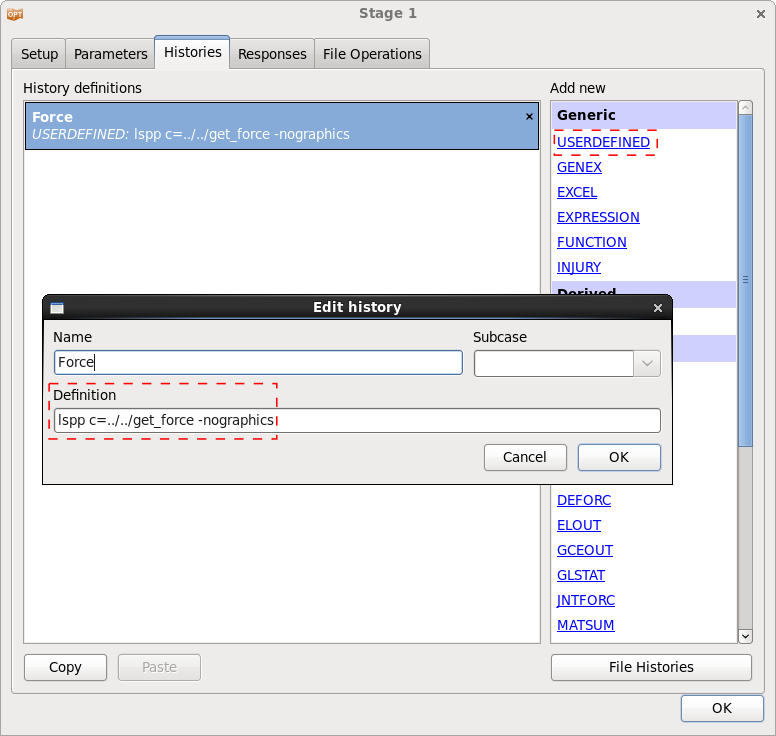
The LS-PrePost command file get_force is given below.
open d3plot d3plot
ascii rcforc open rcforc 0
ascii rcforc plot 4 Ma-1
xyplot 1 savefile xypair LsoptHistory 1
deletewin 1
quit
To create the LS-PprePost command file, execute the appropriate commands in LS-PrePost. LS-PrePost saves the executed steps in the command file lspost.cfile. Make sure that the name of the output file is LsoptHistory.
User-defined Responses
The user-defined program has to output a single floating-point number to standard output.
Example:
In this example, a Perl program is used to extract a response.
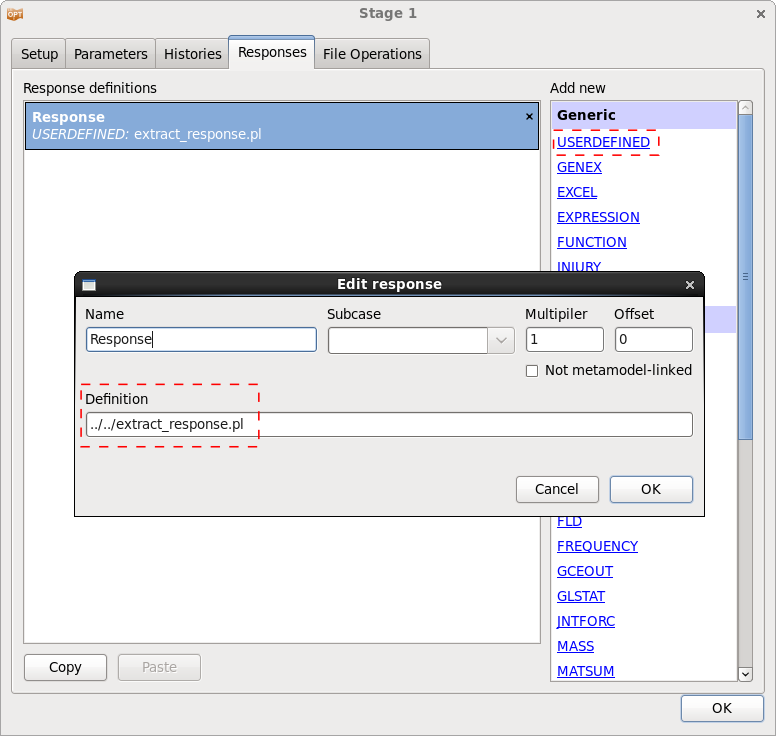
An example for a Perl program extracting a response result is given below.
#!/usr/bin/perl

# open file
open(IN,"results.txt");

$i = 0; # variable to count line number

# read file
while(<IN>){

  # first value in 10th line is response value
  if ($i == 10){
    @output = split;
    last;
  }

  $i++;

}

# print value to standard output
print ("$output[0]\n");

# close file
close(IN);