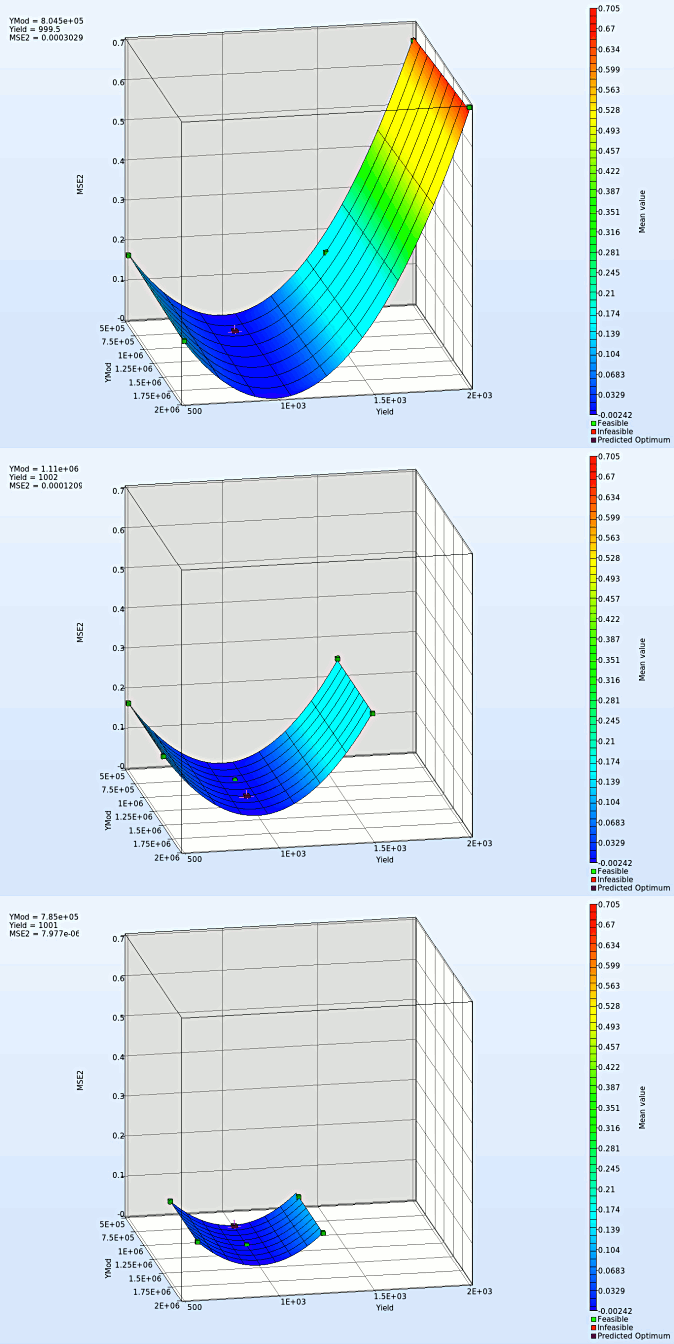
Surface
We can plot the several surface plots of the metamodel we've built. For example, we want to see a surface plot of the objective function MSE or MSE2 with respect to the variables YMod and Yield, do it as following:
New Plot
- To view a new plot select the plot button on the task bar. A seperate window of LS-OPT Viewer opens up.
LS-OPT Viewer
- Select under Metamodel the item Surface.
- Slide to the last iteration.
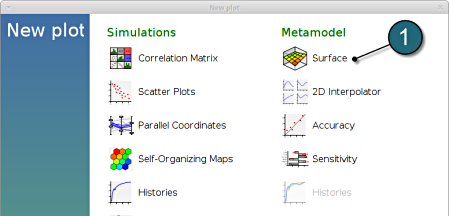
- Select the Setup tab.
- Set MSE2 as the z-coordinate, the variables YMod and Yield as the x-coordinate and y-coordinate, respectively.
- Choose Predicted value. A purple cross will appear somewhere on the surface. You can move it by changing the values of the variables YMod and Yield using the repective sliders. The predicted value for the selected parameter combination is displayed.
- Click Center on Opt. to locate the cross at the optimal point.
- Select the Points tab.
- Make the selection for Iterations at Current.
- Pick Predicted Optimum and Computed Optimum.
- In the similar way, we can visulaize the metamodel surface for the MSE with respect to the input parameters.

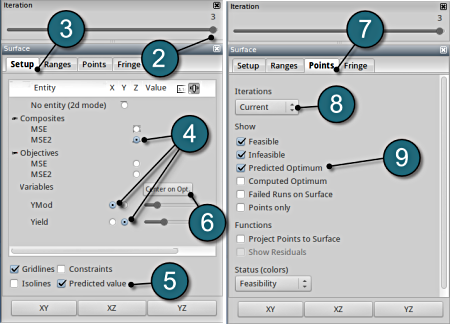
Note that the surface plot for MSE2 shows a quadratic surface, although we used linear polynomials. The reason is that Mean Square Error estimate is defined as a composite expression that is calculated using the metamodels of the components, and the expression is of quadratic order.
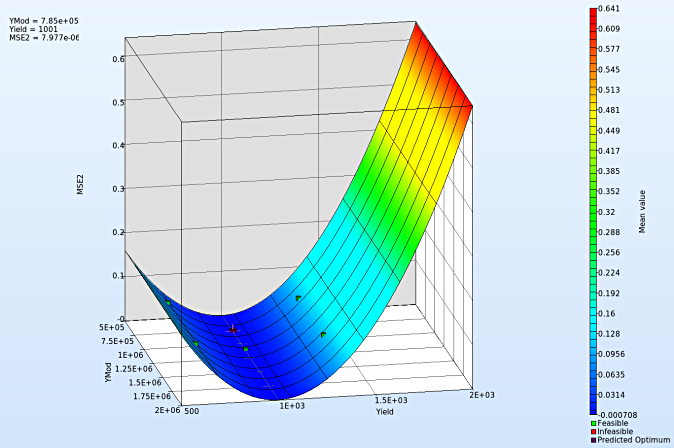
- We rotate the plot with the mouse by pressing Ctrl at the meantime. We can change the surface plot for each iteration (at step 2.) and visualize the effect of domain reduction (as shown below).